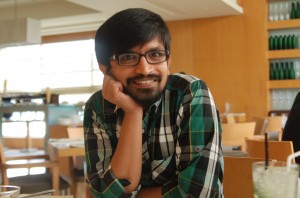
A container for all my views with excerpts from technology, travel, films, books, kannada, friends and other interests. I am Thejesh GN, friends call me Thej.
Email is my basic form of communication. The trouble starts when I am out of station. I usually travel to those places where they don’t even have cyber cafes. Only way to contact me is on my mobile.When I setup my auto – holiday responder it becomes very difficult what to disclose and...
I got inspired by this print ad (yeah online print ad). Then wrote the script for video. I have made Firefox ad videos before. But I think this would be the best. Check the script below PLAY SAFE The camera runs behind the characters. And it follows them into a room with the...
Sandeep has sent us the steps to recover the shift+delete (almost permanently deleted) mails in outlook. You need to edit registry for it. It is advised to save a copy of registry before you start editing it. Start –> Run Run the command regedit.exe. Go to HKEY_LOCAL_MACHINE\Software\Microsoft\Exchange\Client\Options Add a new string ‘DumpsterAlwaysON’ of...
Here comes the pictures from first month of project me365. Starting from 24th March 2007 to 24th April 2007. I think I have missed two days with in these. I hope and try not to miss in future. See the growing collection on Zooomr. Its been fun to click these.
If you think you can’t learn anything in five minutes, you are wrong. You can learn to cook pizza or learn to make a jewellary in bare 5 minutes. 5 min is interesting website of DIY videos of 5 minutes length. 5min is a place to find short video solutions for everypractical question...
There are many ways to subscribe to this blog. Email is probably the best.
Join 2,277 other subscribers
About
Thejesh GN (ತೇಜೇಶ್ ಜಿ.ಎನ್) "Thej" is an Independent Technologist, Hacker, Maker, Traveler, Blogger, InfoActivist, Open data and Open internet enthusiast from Bangalore, India. He loves experimenting with all things life and hence some times he is called hacker and other times duct tape. You can read more about him here. Email [ i @ thejeshgn dot com]. PGP/GPG Keys are here.
(C) Thejesh GN.The views expressed on this site are mine (Thejesh GN) alone and do not necessarily reflect the views of my employer. Please read the terms and conditions before reading or commenting on this blog.