Simposons performing Indian dance
This post is from On/Off Tips which is a member blog of TechMag Blog Group. All rights are reserved.
A container for all my views with excerpts from technology, travel, films, books, kannada, friends and other interests. I am Thejesh GN, friends call me Thej.
This post is from On/Off Tips which is a member blog of TechMag Blog Group. All rights are reserved.
This post is from On/Off Tips which is a member blog of TechMag Blog Group. All rights are reserved.
Thanks to Sandeelp GL for sending this tip. 1. Start –> Run2. Run the command regedit.exe.3. Go to HKEY_LOCAL_MACHINE\Software\Microsoft\Exchange\Client\Options4. Add a new double word ‘DumpsterAlwaysON’ of type REG_DWORD with the value 1 in Hex5. Close the registry editor.6. Restart Outlook.7. Go to Tools –> Recover Deleted Items. That should recover your deleted emails....
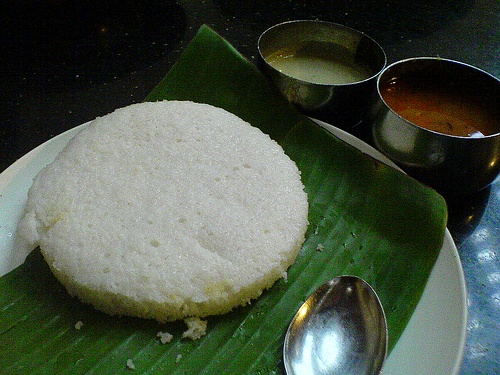
Bangalore is very cool last few days. We are not getting rains but its cloudy. What do I need now.Bisi bisi idli sambar and some hot kaapi !
This video from CNET explains about the Free and Open Source alternatives available to some of the most popular commercial softwares. This talks about OpenOffice, Firefox, Audacity, GIMP, MediaCoder etc. Watch the video This post is from On/Off Tips which is a member blog of TechMag Blog Group. All rights are reserved.
My online life started with with newsletters. Static htmls uploaded to geocities and then posted to friends. Here is part of first one Issue:1 Date:25062003 TechMag Weekly By: Thejesh GN Editors Note: Hai everybody, I am Thejesh GN starting my first newsletter.Since I am an engineer it is obvious that it will be...
There are many ways to subscribe to this blog. Email is probably the best.

Thejesh GN (ತೇಜೇಶ್ ಜಿ.ಎನ್) "Thej" is an Independent Technologist, Hacker, Maker, Traveler, Blogger, InfoActivist, Open data and Open internet enthusiast from Bangalore, India. He loves experimenting with all things life and hence some times he is called hacker and other times duct tape. You can read more about him here. Email [ i @ thejeshgn dot com]. PGP/GPG Keys are here.








(C) Thejesh GN.The views expressed on this site are mine (Thejesh GN) alone and do not necessarily reflect the views of my employer. Please read the terms and conditions before reading or commenting on this blog.