Register at OSM
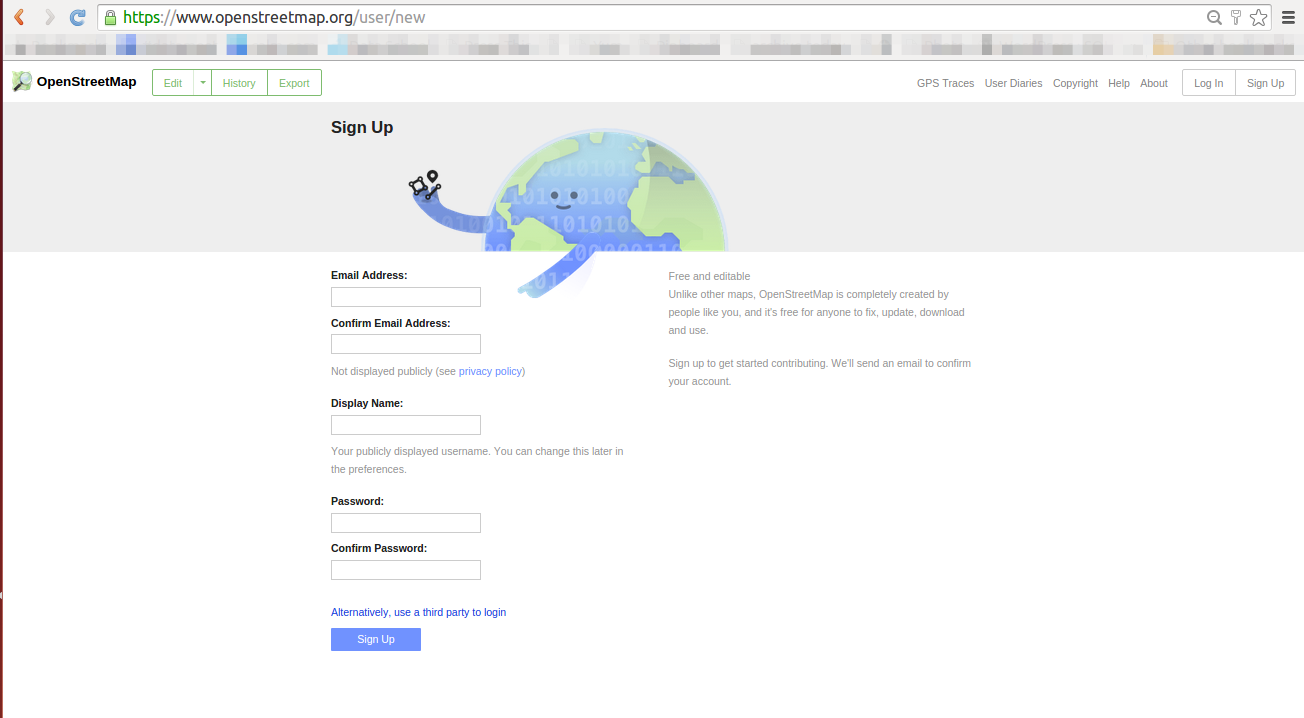
Create OSM account if you dont have.
Login

Login to OSM
Edit Mode
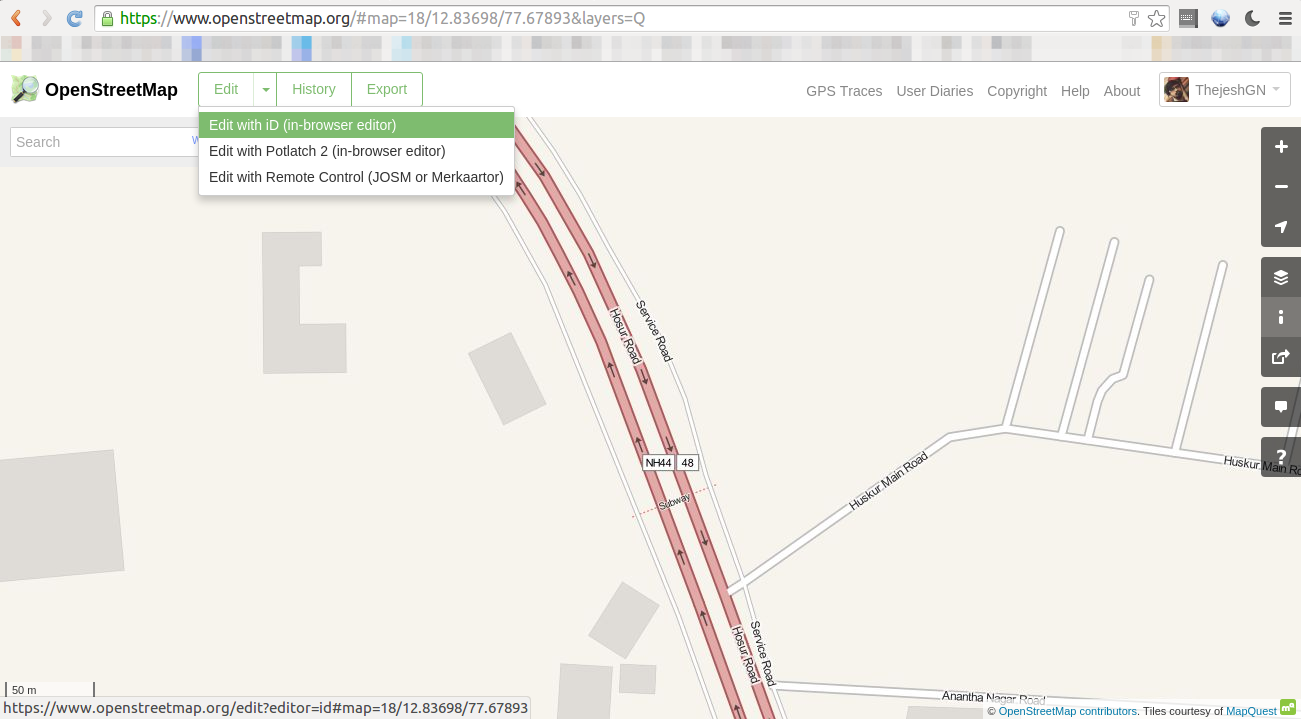
Click on Edit, Select “Edit with id( in Browser)”.
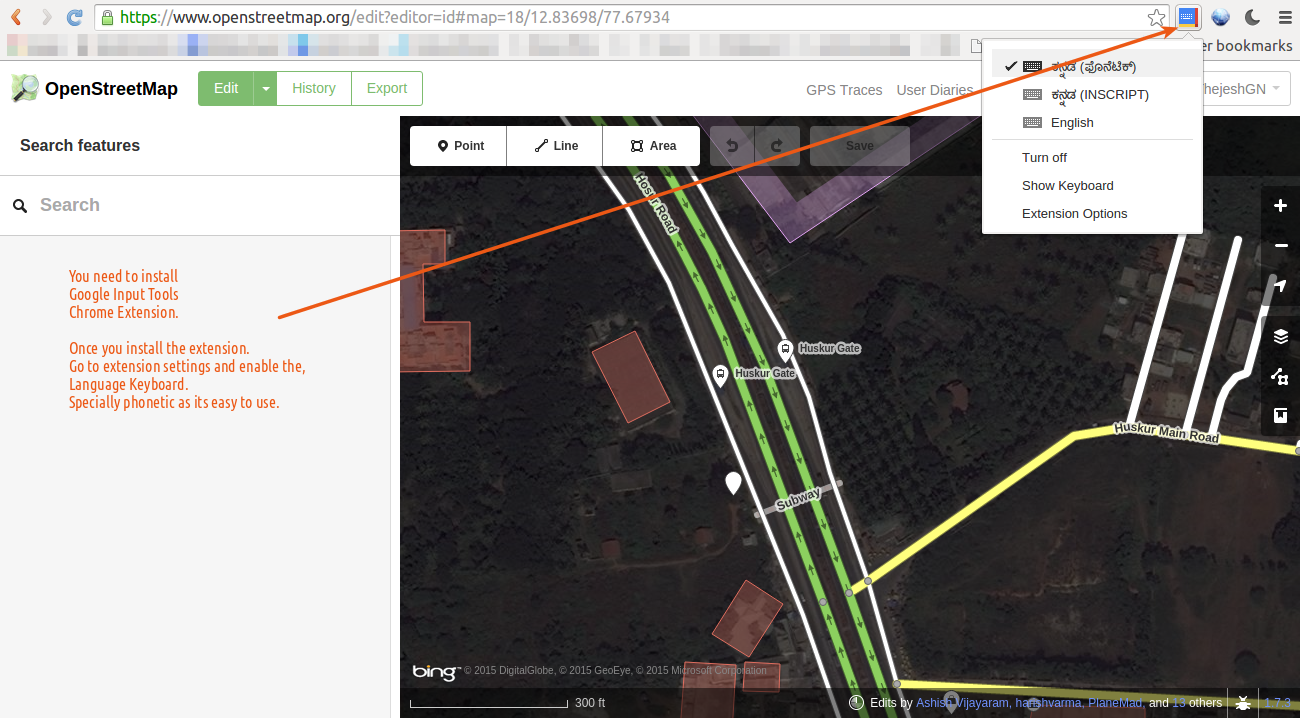
Enable Kannada in Chrome input tools. You have to install “Google Input Tools” chrome addon for this. If you know any other way to enter/type Kannada, then that is fine too.
Select an Item to Translate
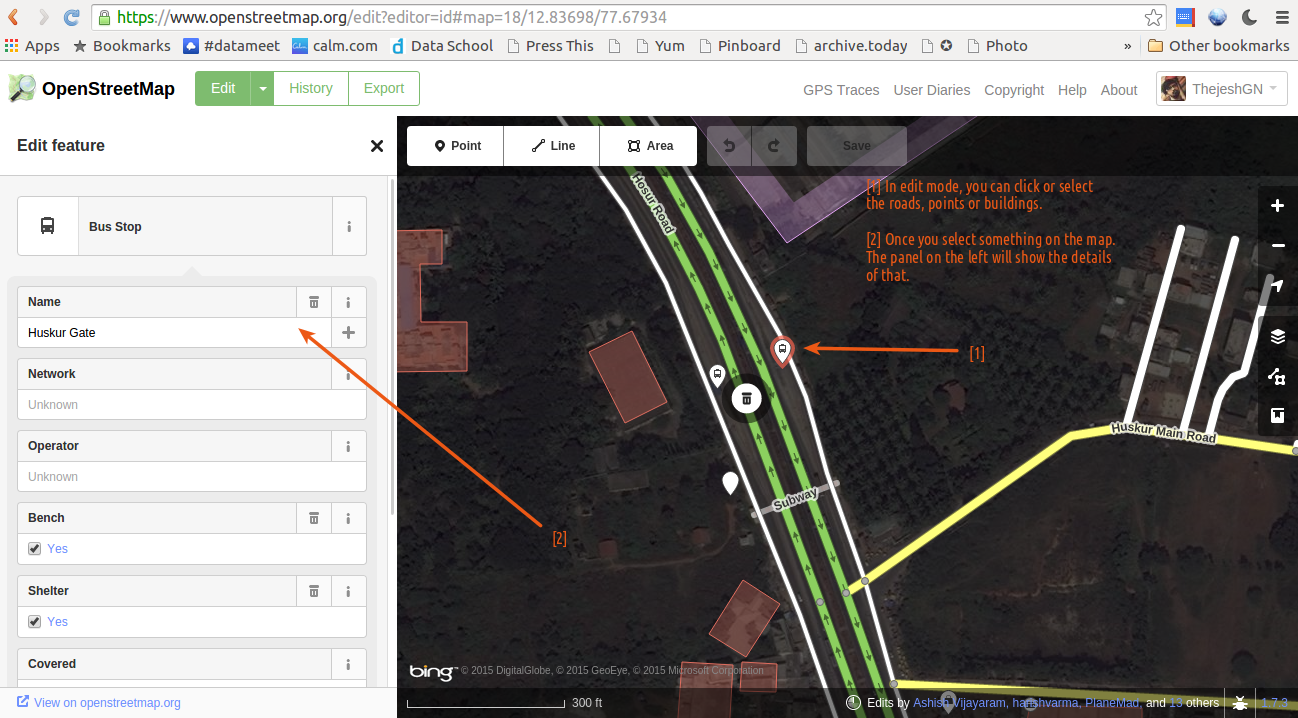
Select a poi/area/road to translate.
Add translation
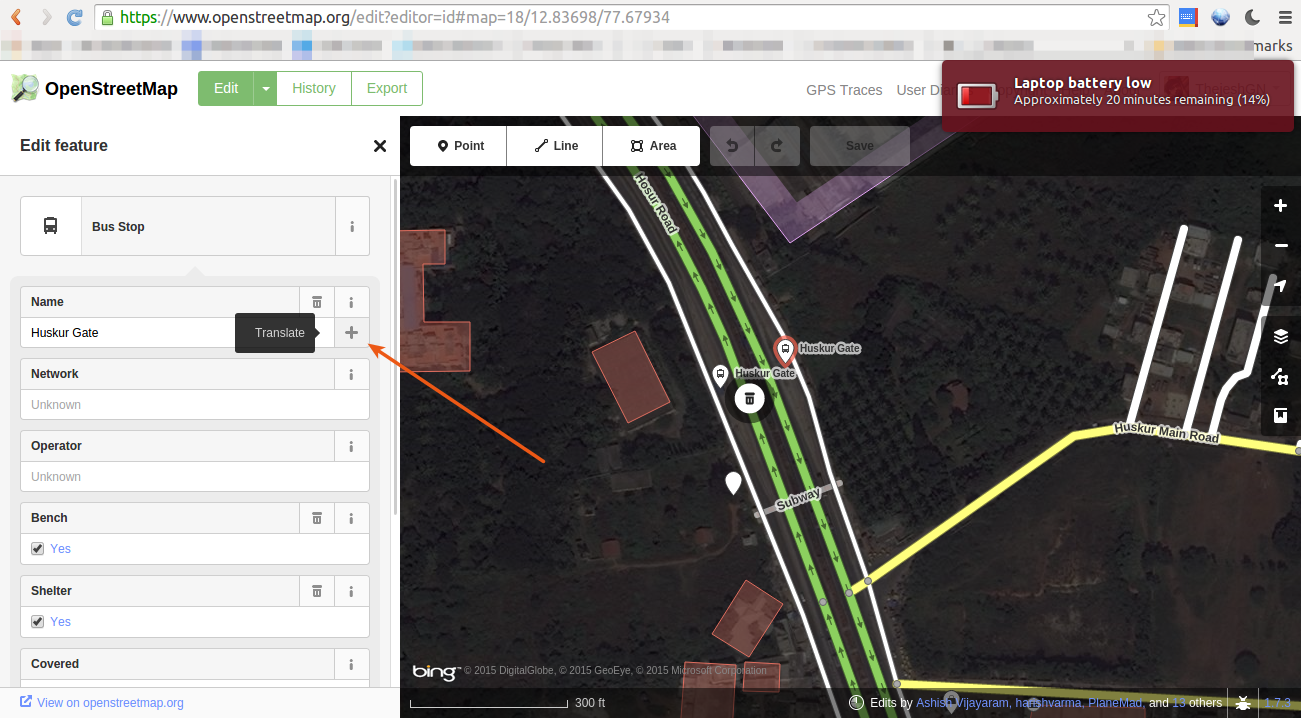
Click on the plus sign next to the name to get options to transalate.
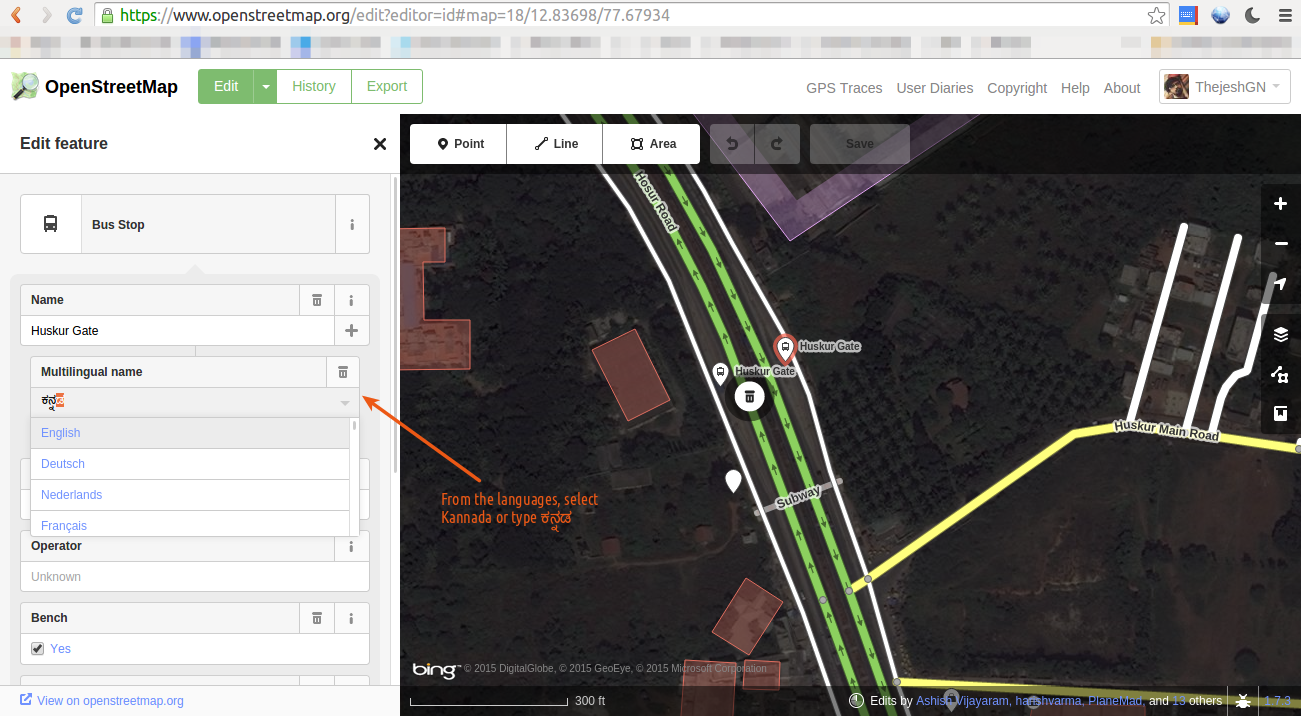
Choose or Type Kannada in the language drop down.
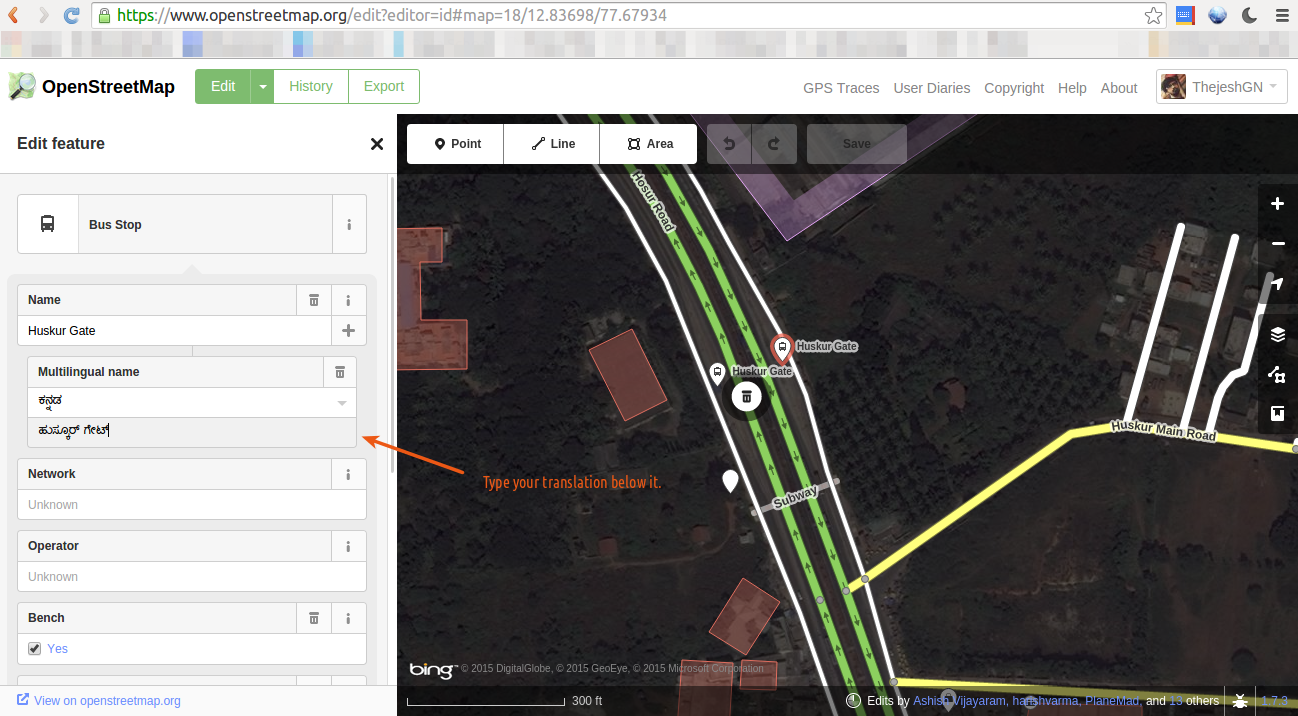
Now enter the translated name.
Save
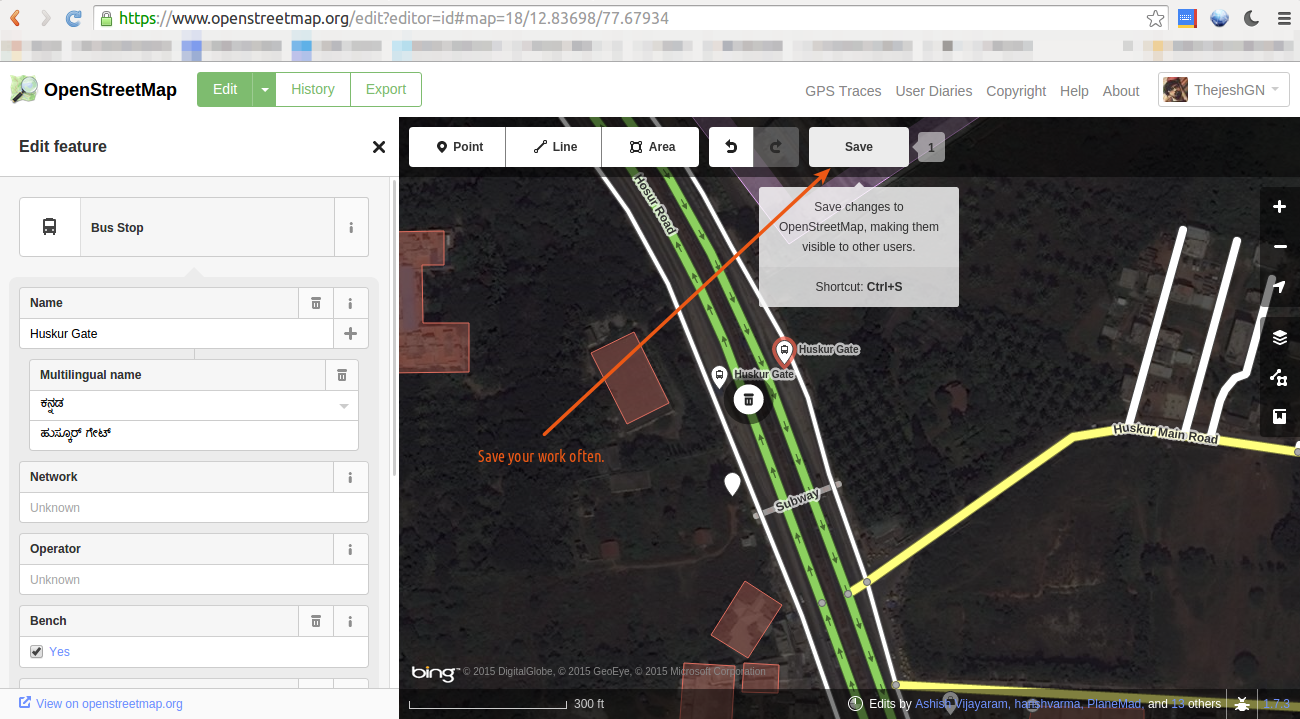
Save after every logical step.
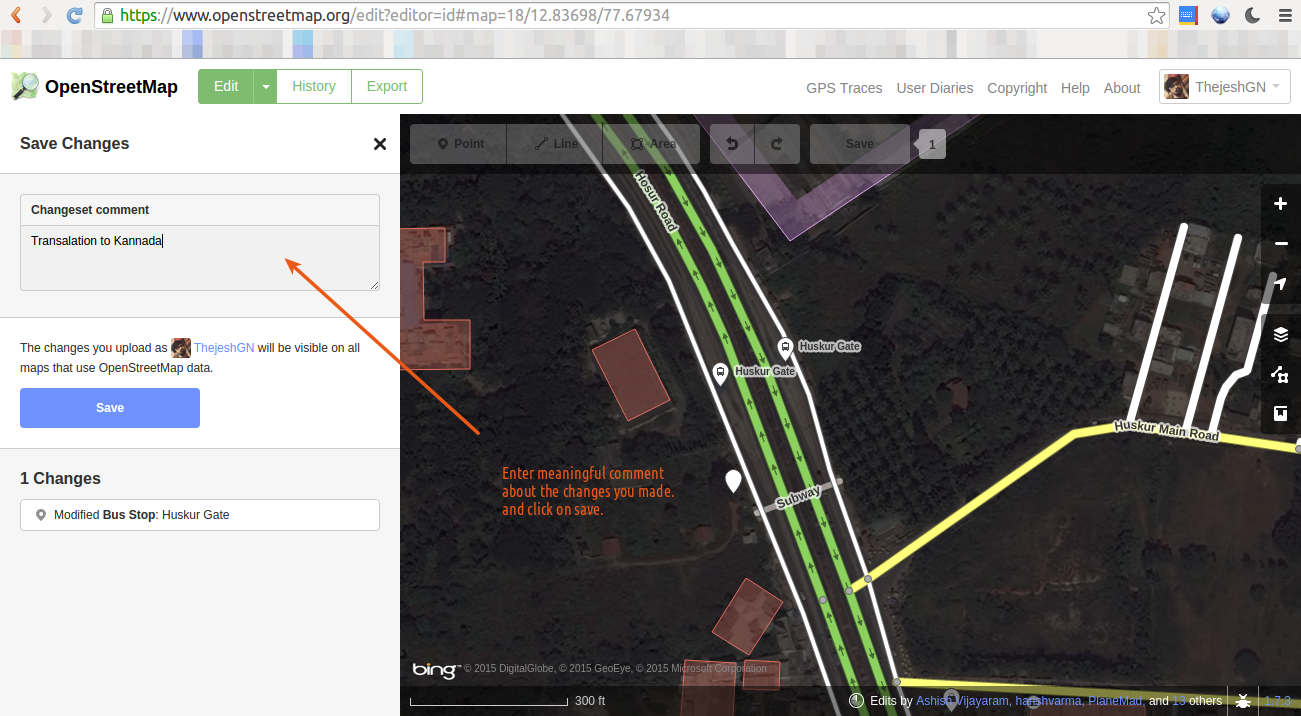
Enter meaningful comments in English.
Done
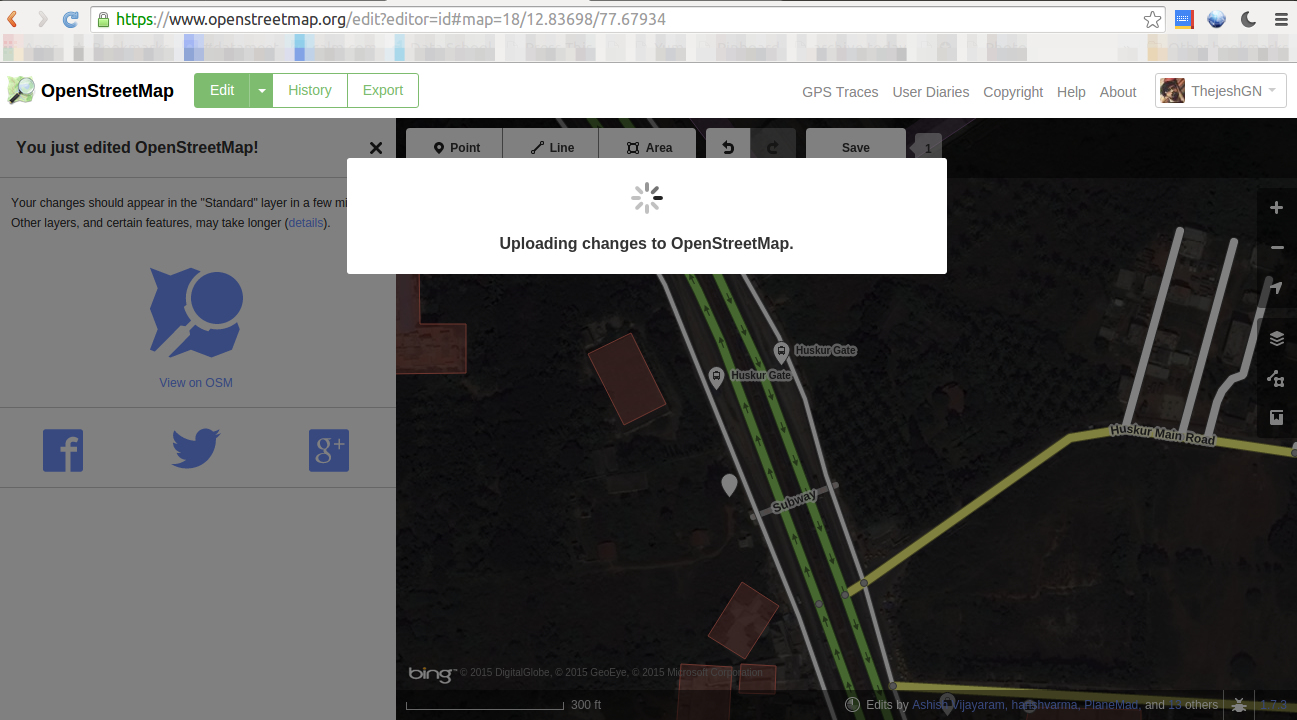
OSM saves.
You are Awesome
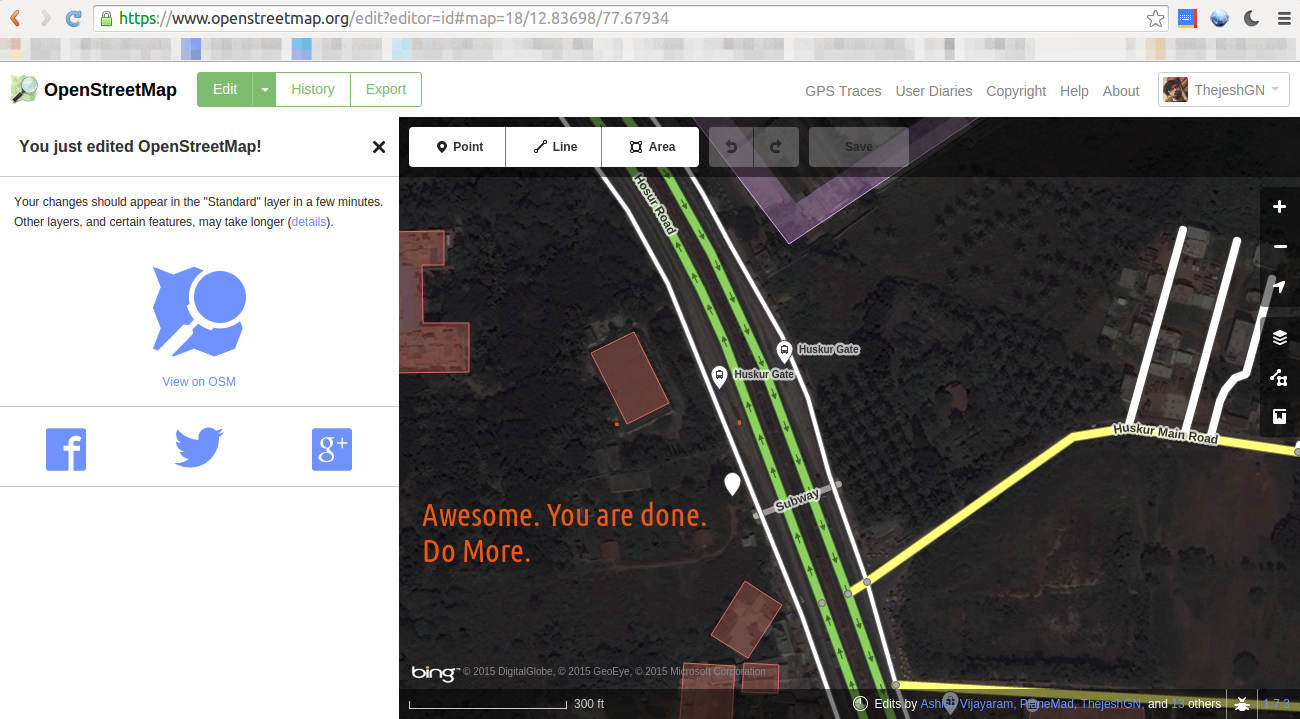
Done. You are awesome. Now go translate more.