Loading Indian Maps on a Garmin Forerunner 965
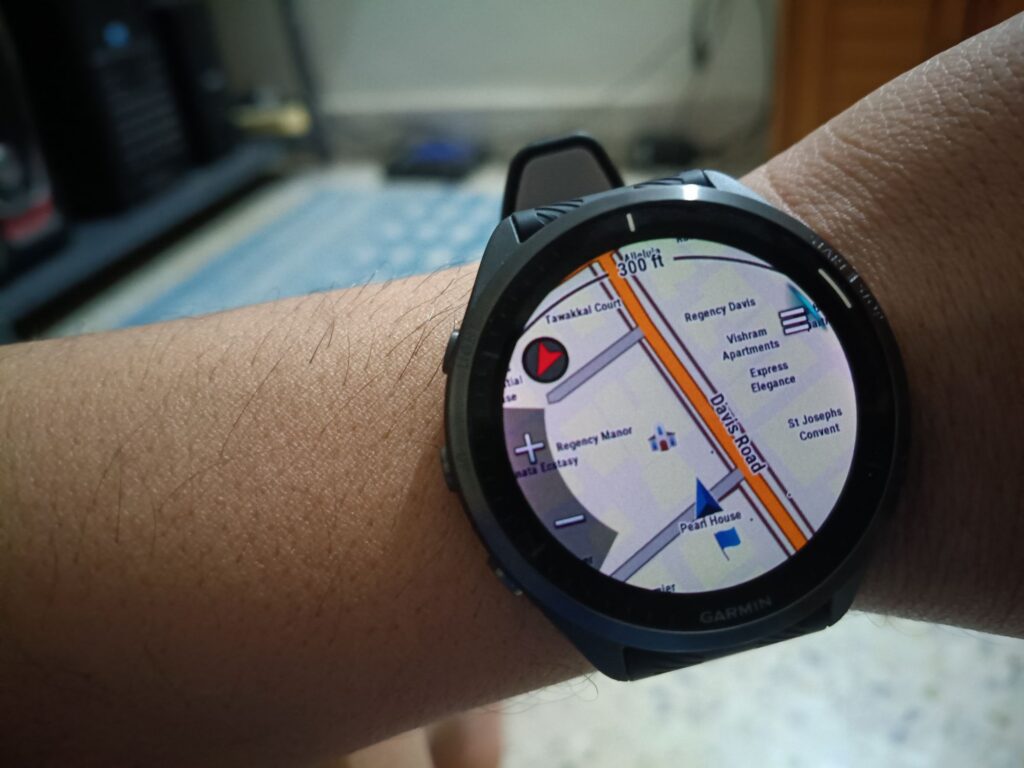
The primary reason I bought this watch was the ability to display and navigate using proper offline maps. Garmin doesn’t have maps for India. But the OpenStreetMaps community has maps that can be loaded into Garmin. There are many community-built web services, such as Thukke’s OSM Downloads and Userbeam, that provide Indian maps for use on Garmin devices, including routing. I used one by run by BBBike. It creates a map of the area you choose from PlanetOSM‘s extracts and delivers it in the format you want.
Download
- Go to BBBikes Garmin Page
- Choose the format Garmin OSM (UTF-8). All modern Garmin devices can use UTF-8.
- Select the area you want (bbox)
- Click on Extract
- Once it’s ready, you will get an email.
- You can also check the progress on the status page and download it from there.
- Extract the zip file to get .img file
Load
- Plug into Ubuntu with USB; it should appear as mass storage.
- It’s in the Garmin Connect App; On the top right, click on the watch. Go to System > USB Mode; set it to Media Transfer (MTP). Reattach and check.
- In my case (Forerunner 965), I had to block the `garmin_gps` kernel module from loading. You can try that too.
- Once that is done. Once you connect, the watch will ask for your permission to connect as mass storage
- Say yes
- It should appear as mass storage
- Go to /Garmin/
- Paste the downloaded .img file
- Safely unmount the Garmin
- Now go to the watch and go to Maps Manager
- Your map file should be there
- Open it and see