Linked List : Annotating Photos for Humans and Machines
Photos taken on a mobile phone can include metadata. I like it for various reasons. My various projects depend on metadata, such as date, location, orientation, etc. But more and more, the phones are removing that metadata when I transmit it. Some of them also change the file name. But I care, and I want them. It’s a carefully considered call.
In response to these aggressive moves by the platforms, I have started adding the data directly to the visible part of the image, like how your old film camera would add the date/time directly onto the photo itself. There is no danger of losing that information. As long as I have the picture, I have the date/time it was taken.

Similarly, now, when I take certain pictures, I add text directly to the bottom-right corner, usually in English. I am making sure it has good contrast so humans and OCRs can pick it up easily. I have scripts to extract this data easily if I want to process it. Of course, any cheap visual model can also do it, but it’s easy and cheap to make the model write code and reuse it.
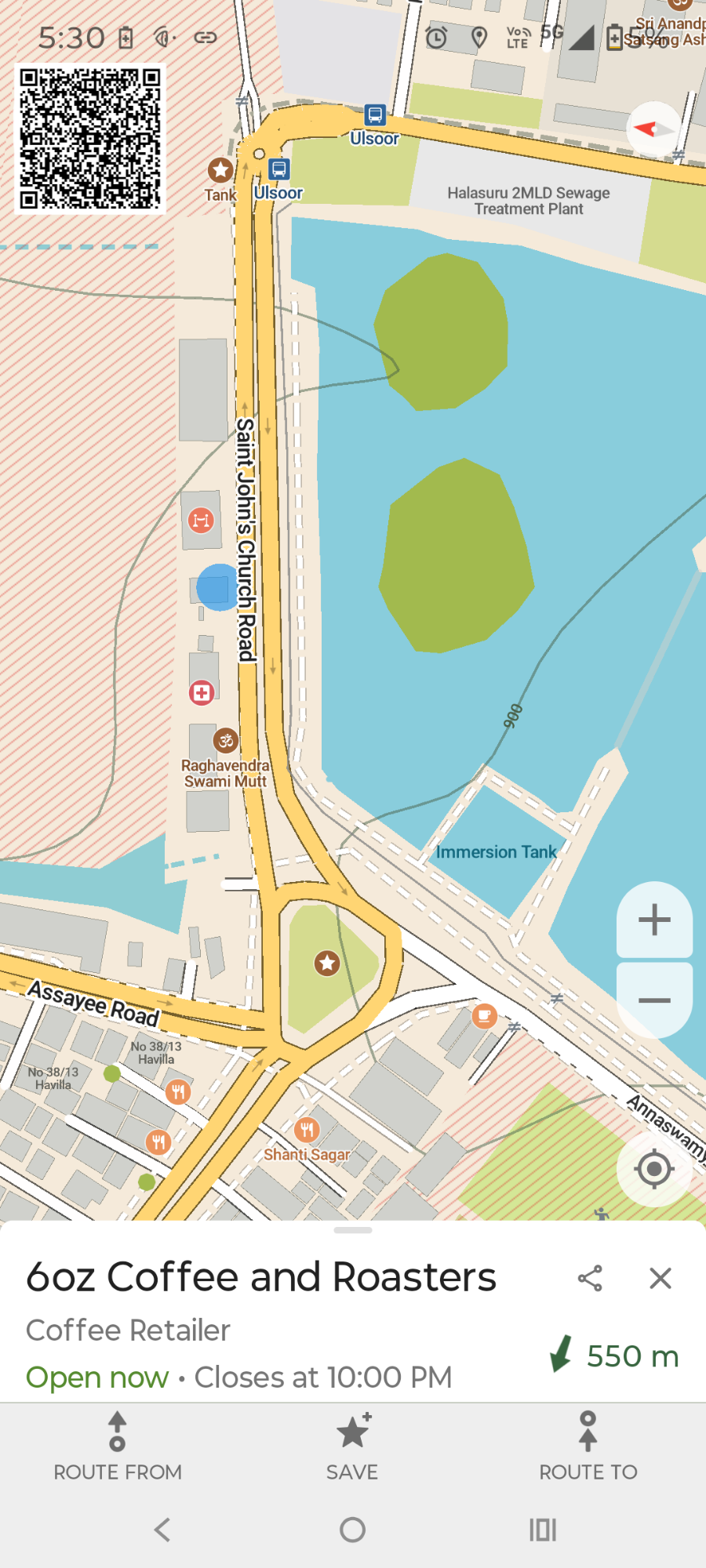
I have also started playing around with adding text to a QR code and then placing it on top of a Photo/Image. It works very well. It makes it much easier for machines to read and can also be read by humans using almost any phone camera.
The Apps that I use are
- OpenCamera (F-Droid, Play): The most flexible camera app I have used. It’s open source. I use the GPS and Text stamping features a lot. It adds GPS tags, a timestamp, and a line of text on top of the image. I wish it had some more text features, but it works. All my new OpenPostboxIndia project pictures are taken with this. So unlike my first set of pictures, however they are maintained or transmitted, that data will remain with them. It can also be configured to take a sequence of pictures (like a timelapse) that can be uploaded to Panoramax. I also love that it can record video along with the GPS tags as a separate subtitle text.
- ImageToolBox (FDroid, Obtanium and Play): A FOSS Swiss Army knife of image editing and annotating images or pictures on Phone. It has a ton of tools; some aren’t even directly related to image manipulation, like PDF Tools. So take your time to check out all the tools. Recently I discovered OCR tools and some local AI-based tools. All useful. I generally use the built-in QR code generator, then the watermarking feature to add that QR code to the image. Sometimes I use it for hand drawn notes or markers on top of pictures. I am still exploring this app. I am sure I will fit it into my other workflows and uninstall some other apps.
- BinaryEye (FDroid, Play) is a dedicated QR Code (Barcode) scanner and creator App. It works well and can also do other things, like forwarding the scanned content to a a web endpoint or working as a remote Bluetooth scanner.
Do you annotate photographs or pictures? If yes, why? and What tools do you use?